> For the complete documentation index, see [llms.txt](https://guide.racino.io/info/llms.txt). Markdown versions of documentation pages are available by appending `.md` to page URLs; this page is available as [Markdown](https://guide.racino.io/info/games/formula/navigation/races/entry/race-status.md).
# Race Status
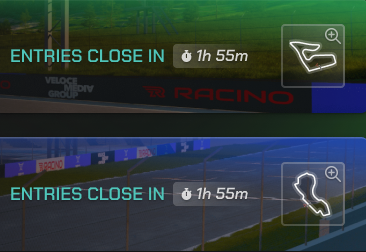
**Open** *(Entries Close In)***:** These tracks are available for new cars to join, as long as they have met the level and entry requirements. Note the countdown timer, as the status will change when time expires.
**Qualifying:** The Qualifying period determines Car grid positions for the race through a single-lap simulation, using car base stats, excluding handling and stability, and are not affected by car setups.
{% hint style="info" %}
Securing a forward grid position, does not guarantee a top finish position.
{% endhint %}
**Live:** After a track has completed Qualifying, and the race has been fully rendered, the status will change to Live. Players can now watch the race via the video stream or [interactive view](/info/requirements/technical.md).
**Ended:** Once a race has finished, you will be able to find it in Results. You can review the grid and finish positions, race feedback, and even rewatch the race at your leisure.